
Mileage Reimbursement: Aetna Better Health of Virginia
Get reimbursed for driving to medical appointments
If you or someone you know drives you to a medical appointment, you may qualify for mileage reimbursement through your Aetna Better Health of Virginia plan.

Who can get reimbursed?
As an Aetna Medicaid member who has this benefit, you may get paid if the driver is:
You
Drive yourself and get reimbursed for mileage.
Family or Caregiver
Your spouse, child, parent, or caregiver can drive you.
Friend or Neighbor
A trusted friend or neighbor can also be your driver.
Download the member app.
Submit claims faster.
It's easier than mailing paper forms.



 Important Notice
Attention Aetna Better Health of Virginia Members
The Virginia Department of Medical Assistance Services (DMAS) sets rules for healthcare providers. Based on these rules, Aetna has built a strong network of providers in your area.
Mileage reimbursement is limited based on these rules.
MediDrive will pay for travel miles up to the allowed limit. Miles over the limit will not be paid.
The mileage limit depends on:
- Where you live
- The type of medical appointment you have
Aetna gets member address information from DMAS. If your address is wrong, you must update it with Cover Virginia at Cover Virginia.
Keeping your address up to date helps make sure your transportation benefits are correct.
Region as determined by member enrollment address on file.
Southwest Region Rules
- Up to 50 miles - Primary Care Physicians, Pediatricians, Behavioral Health, and OB/GYN
- Up to 100 miles - Specialists and Dentists.
Rural Region Rules
- Up to 30 miles - Primary Care Physicians, Pediatricians, Behavioral Health, and OB/GYN.
- Up to 60 miles - Specialists and Dentists.
Urban Region Rules
- Up to 15 miles - Primary Care Physicians, Pediatricians, Behavioral Health, and OB/GYN.
- Up to 30 miles - Specialists and Dentists.
Click here to view the list of Urban and Rural areas.
Use our app to request mileage reimbursement
All you will need is a smartphone with internet access to get started.

Download the MediDrive app for members
Go to Apple Store (for iOS) or Google Play (for Android) to download the MediDrive member app.
Set up your member profile.
Enter your Medicaid ID and info. If you are a caregiver, create the profile for the member you support. You can manage multiple member profiles in one app.
Add your driver
Go to "Enrollment". If you are the driver, add yourself. If a friend is driving, add them. You can add multiple drivers for each member profile.
Book the trip
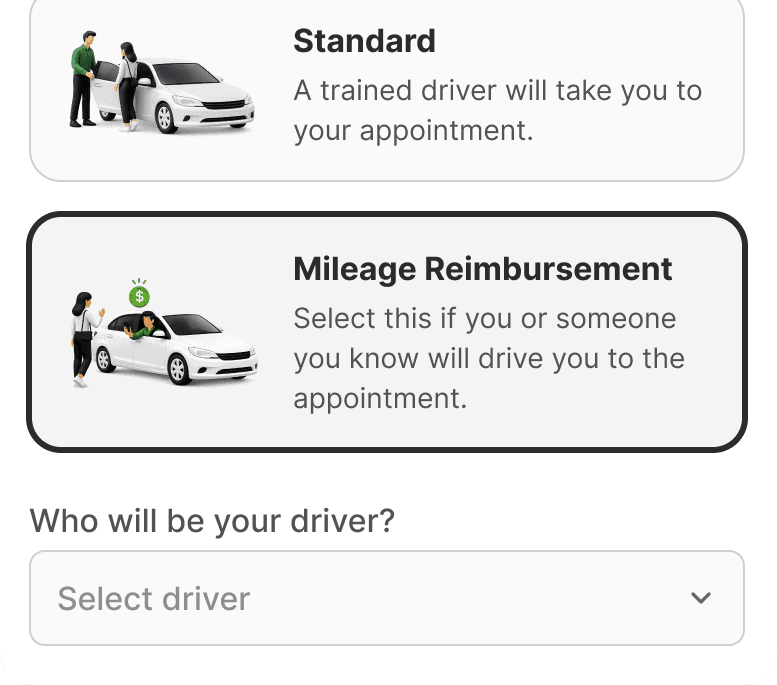
Choose "Mileage Reimbursement" as the trip type. Add any other details required about the appointment.
Complete the trip
When you arrive at the doctor, open the app and click "Arrive & Sign." You must be within 300 yards of the destination and have your phone's GPS turned on for the app to confirm your location.
Cannot use the app?
Submit a paper form instead
If you cannot use the app, follow these steps carefully:

Write down your trip number immediately
Your reimbursement claim cannot be processed without a trip number.
Get a trip number
You must call MediDrive at 1-833-633-4374 before your appointment to get a pre-authorized trip number.A request for authorization to use the mileage reimbursement benefit must be submitted at least three (3) business days before the scheduled appointment.
Complete all required fields on the Mileage Reimbursement trip log.
Go to your appointment
Drive yourself or have somebody else drive to your appointment.
Get your doctor's signature
Ask your doctor, nurse, or clinician to sign the form before you leave their office. This proves you were there.
Submit your completed form
E-mail it to MediDrive Claims at claimsva@medidrive.com or you can also send it via post to MediDrive, P.O. Box 2310, Glen Allen, VA 23058. Reimbursement is processed within 4–6 weeks.
Before submitting your form

Complete all required fields.

Include your trip number. Remember you can list multiple trips on one form.

Make sure your doctor signs the form.

Submit the form within 30 days of the appointment.

Use one form per driver.
Make sure these fields are completed on every form submission.
Member information
- Member Name (as it appears on Medicaid card)
- Member ID Number
- Member Address
- Driver's Name (This is the person who will receive the check)
Trip Log details (one row per trip)
- Date of each trip
- Appointment time
- Pick-up address
- Drop-off address (medical facility)
- Round trip miles
- Provider/Physician signature for each trip
Confirmation required from the passenger.
The person driven to their medical appointment has to sign at the bottom of the form to confirm the information is accurate.
Guidelines for filling out the form correctly
- Use black or dark blue ink only.
- Do not use special characters, symbols, or non-Latin script (e.g., #, @, $, ~).
- If you make an error, start over with a new form. Do not cross out, highlight, or annotate the form.
- Write clearly and avoid abbreviations.
- Print all information clearly with enough space between words for legibility.
- Do not write on top of or above the title sections of the form.
- Fill out the entire form. Do not leave any required fields blank, except where the doctor has to fill in.
- Make sure the form text is oriented correctly (not upside down or sideways).
Where to submit mileage reimbursement claims
If you're not submitting it through the MediDrive mobile app, you can mail or e-mail the completed form to the MediDrive Claims Department.


Mail address
MediDrive, P.O. Box 2310 Glen Allen, VA 23058
Download documents
Download the blank form, read the member letter with detailed instructions, and view the annotated example.
English Documents
Print, fill out, and mail this form to claim your mileage reimbursement.
Instructions for completing and submitting the reimbursement form.
An example of how to fill out the fields on a reimbursement form.
Documentos en Español
Imprima, complete y envíe este formulario para solicitar el reembolso de su kilometraje.
Instrucciones para completar y enviar el formulario de reembolso.
Instrucciones para completar y enviar el formulario de reembolso.
Frequently asked questions
Still have questions?
Call our Claims Team at 1-833-633-4374. We are here to help.