Mileage Reimbursement for Health First Colorado Members
Colorado Medicaid Mileage Reimbursement Program
If a friend or family member can drive you to medical appointments, Health First Colorado reimburses their mileage. The standard rate for Colorado is $0.48 per mile.
- Skip paper forms completely
- Log trips directly from your phone
- Submit mileage claims faster using the MediDrive app

Things to know
If you drive yourself or a member to a doctor’s appointment, here is what you should know:
Who can drive
You, a family member, a friend, a caregiver or a neighbor.
What is covered
The shortest direct route from your home to your doctor and back again.
Price per mile
According to Colorado state law, the reimbursement is $0.46 per mile.
A simpler way to submit mileage claims: Use the MediDrive app.
Using the app is faster than printing and filling out paper forms. You will need a mobile device with internet and a GPS setting.

Install our member app
Download the MediDrive app (do not download the separate Driver app) from Apple Store (iOS) or Google Play (Android).
Add your member details
Open the app and enter your Health First Colorado Member ID (your Medicaid ID) and date of birth. Caregivers can easily set up profiles for their patients.
Add your driver’s details
Choose whether you are driving yourself or somebody else is. Enter the driver's payment details so we know exactly who to send the money to.
Book your trip 2 business days in advance
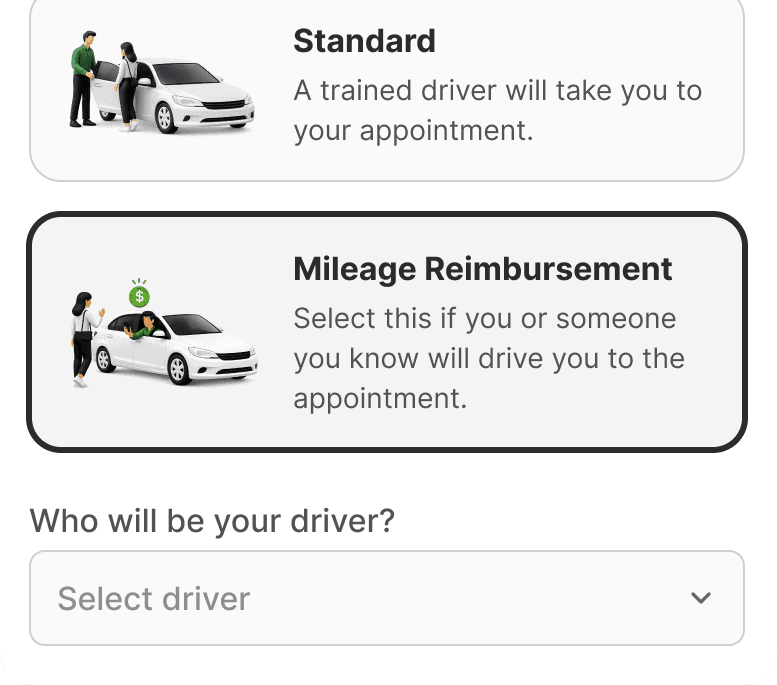
Schedule your ride in the app two business days before your medical appointment and select "Mileage Reimbursement" as the trip type.
Complete the trip & sign
When you arrive at the doctor, open the app and click "Arrive & sign". You must be within 300 yards of the doctor's office for the GPS to verify you are there.
Prefer paper forms?
Follow these steps
If you’re more familiar with printing the form and submitting it, this is what you need to do:
Write down your trip number immediately
Your reimbursement claim cannot be processed without a trip number.
Call MediDrive claims: 720-844-9610
Call MediDrive at (TTY: 771) before your appointment to get a trip number.
Write down your trip number
We cannot pay your claim without this number.
Go to your appointment.
Drive yourself or have somebody else take you.
Get your doctor’s signature.
Ask the doctor or nurse to sign the form before you leave their office to prove you were there.
Submit your form within 30 days
E-mail a clear photo or scan to claimsco@medidrive.com or mail it to this address: MediDrive, 1801 California St., Suite 2400, Denver, CO 80202. Reimbursement is processed within 4-6 weeks.
Before submitting your form:
Complete all required fields.
Include your trip number. You can list more trips on one form.
Make sure your doctor signs the form.
Submit the form within 30 days of the appointment.
Use one form per driver.
- Member details: Name (as it appears on your Medicaid card), Member ID Number, and address.
- Trip log details: Date, appointment time, pick-up address, and medical facility address.
- Mileage: Number of miles driven.
- Signatures: Doctor's signature for each trip and the member's signature at the bottom.
Member’s signature as confirmation
To confirm the information is correct, the person who was seen by the doctor needs to sign at the bottom of the form.
Guidelines for filling out the form correctly
- Use black or dark blue ink only.
- Do not use special characters, symbols, or non-Latin script (e.g., #, @, $, ~).
- If you make an error, start over with a new form. Do not cross out, highlight, or annotate the form.
- Write clearly and avoid abbreviations.
- Print all information clearly with enough space between words for legibility.
- Do not write on top of or above the title sections of the form.
- Fill out the entire form. Do not leave any required fields blank, except where the doctor has to fill in.
- Make sure the form text is oriented correctly (not upside down or sideways).
Where to submit the paper forms for mileage reimbursement
邮寄地址
1801 California St., Suite 2400, Denver, CO 80202
Documents to download
Print the blank document below to start your manual claim tracking. View our filled-out sample guide to make sure you fill in your details correctly.
If you use the MediDrive app to submit mileage reimbursement claims, you do not have to print these documents.
英文文件
打印、填写并邮寄此表格以申请里程报销。
完成并提交报销表格的说明。
如何填写报销表格各字段的示例。
西班牙语文件
Imprima, complete y envíe este formulario para solicitar el reembolso de su kilometraje.
Instrucciones para completar y enviar el formulario de reembolso.